
Advice
Advice with numbers, from your own usage.
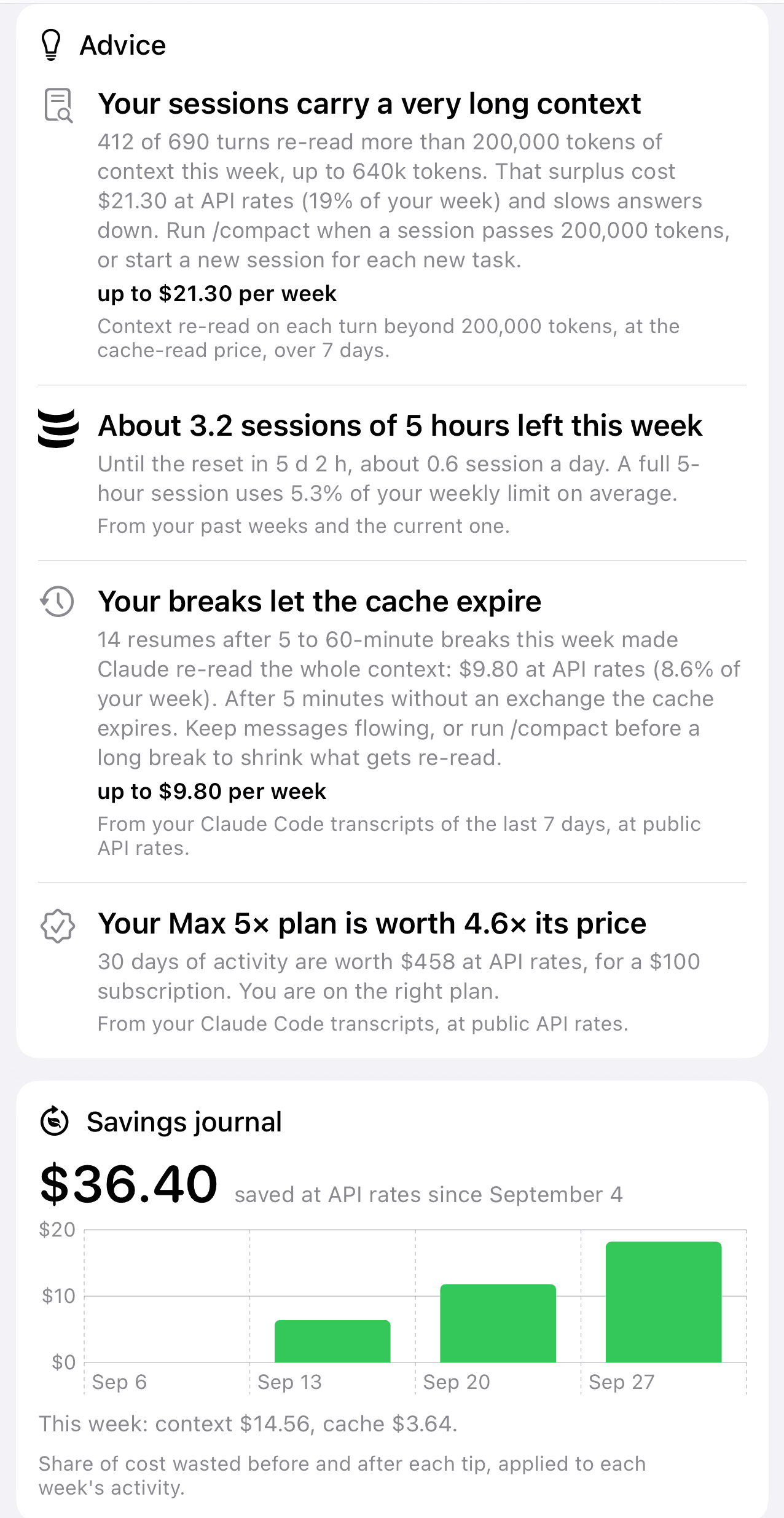
Context too long, cache expiring, the wrong model, the wrong plan: each tip says what it rests on and what it would save you. The savings journal tracks your progress.
Mac · iPhone · Apple Watch
JaugeAI reads the usage limits of your Claude plan, and ChatGPT through Codex, on your Mac. The menu bar, your iPhone and your Watch show them, with your pace and the right moment to slow down.
For Claude Pro and Max, and ChatGPT Plus, Pro and Go through Codex. Requires Claude Code on the Mac.
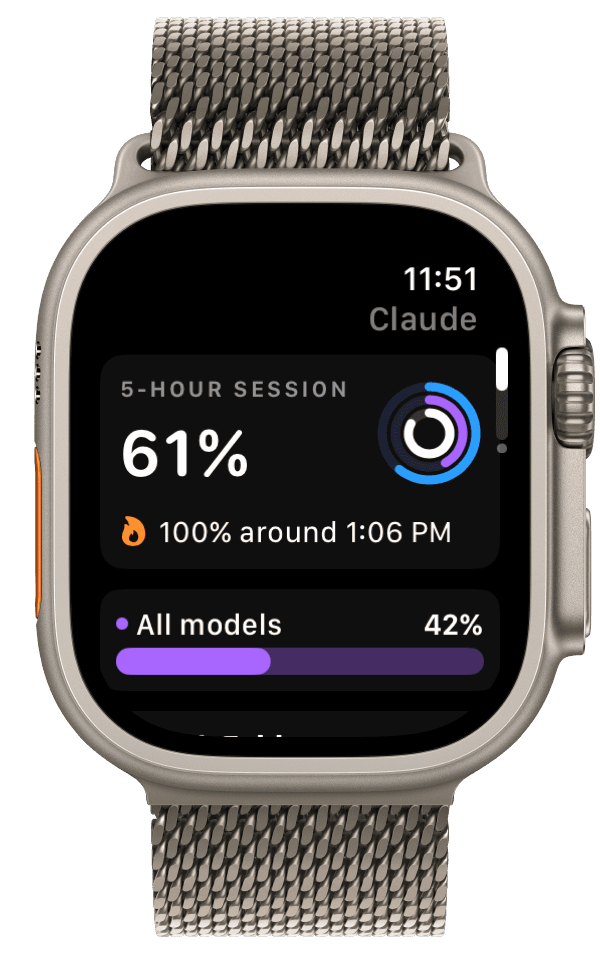
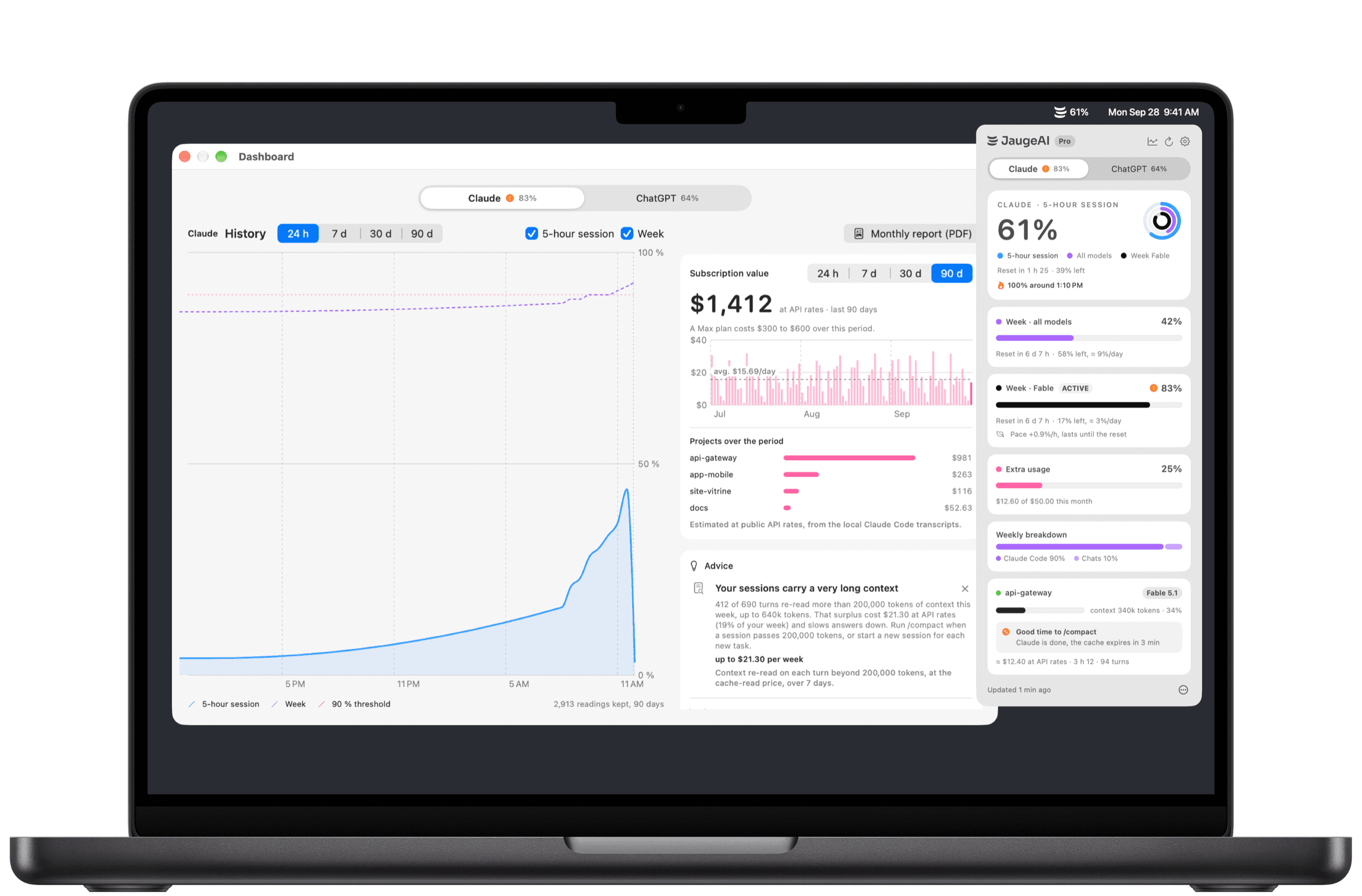
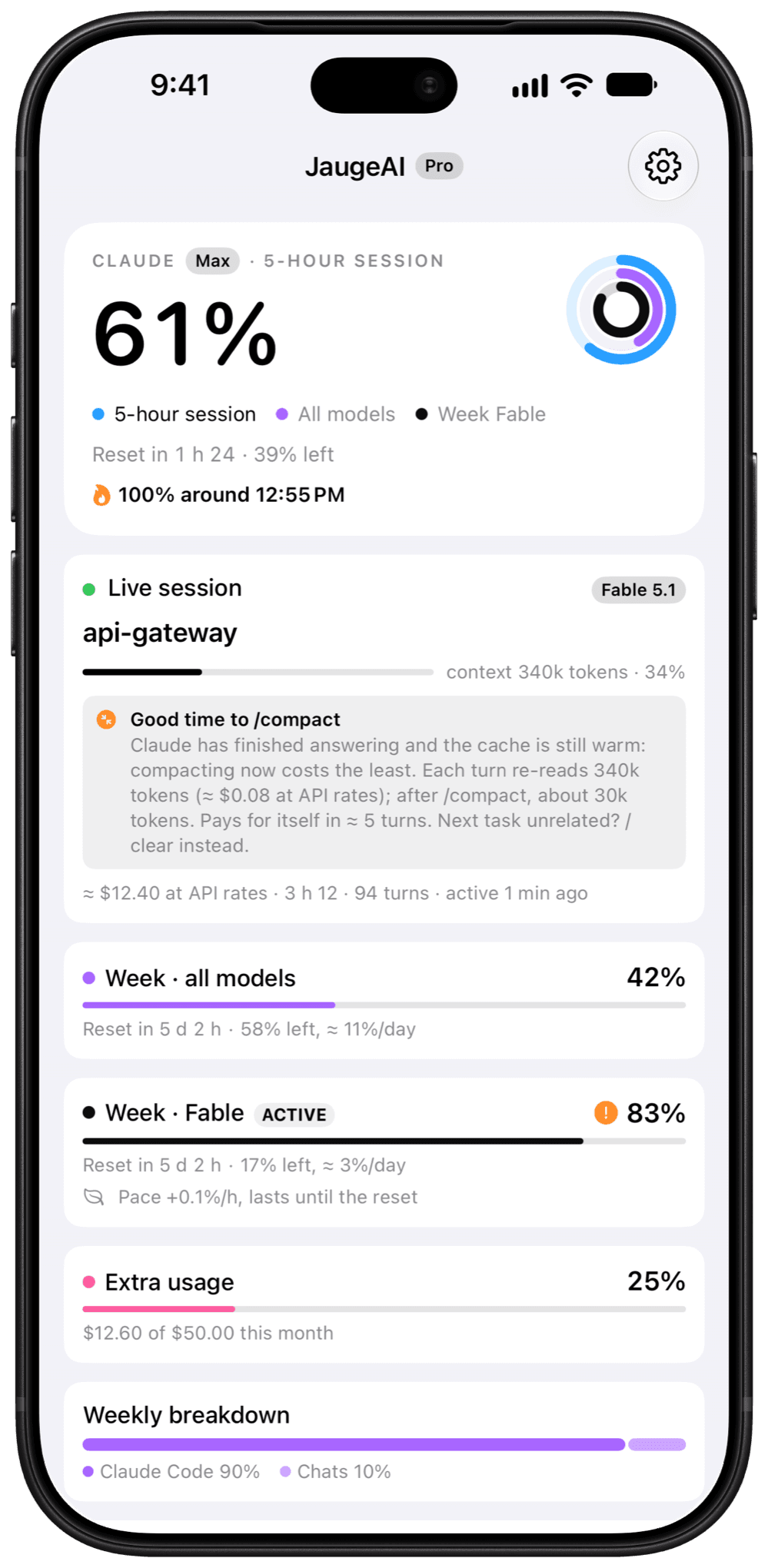
No more typing /usage: the limit that matters shows up on its own, and warns you before it blocks.
How it works
The free Mac app takes the reading. Your iPhone and Apple Watch show what it shares: nothing else leaves your devices.
JaugeAI uses the session Claude Code already opened, read-only. No password, nothing to type.
Only results go through your private iCloud: percentages, estimates, project names. No server.
Menu bar, widgets, Lock Screen, Dynamic Island and Apple Watch, with the time of the latest reading.
Rings
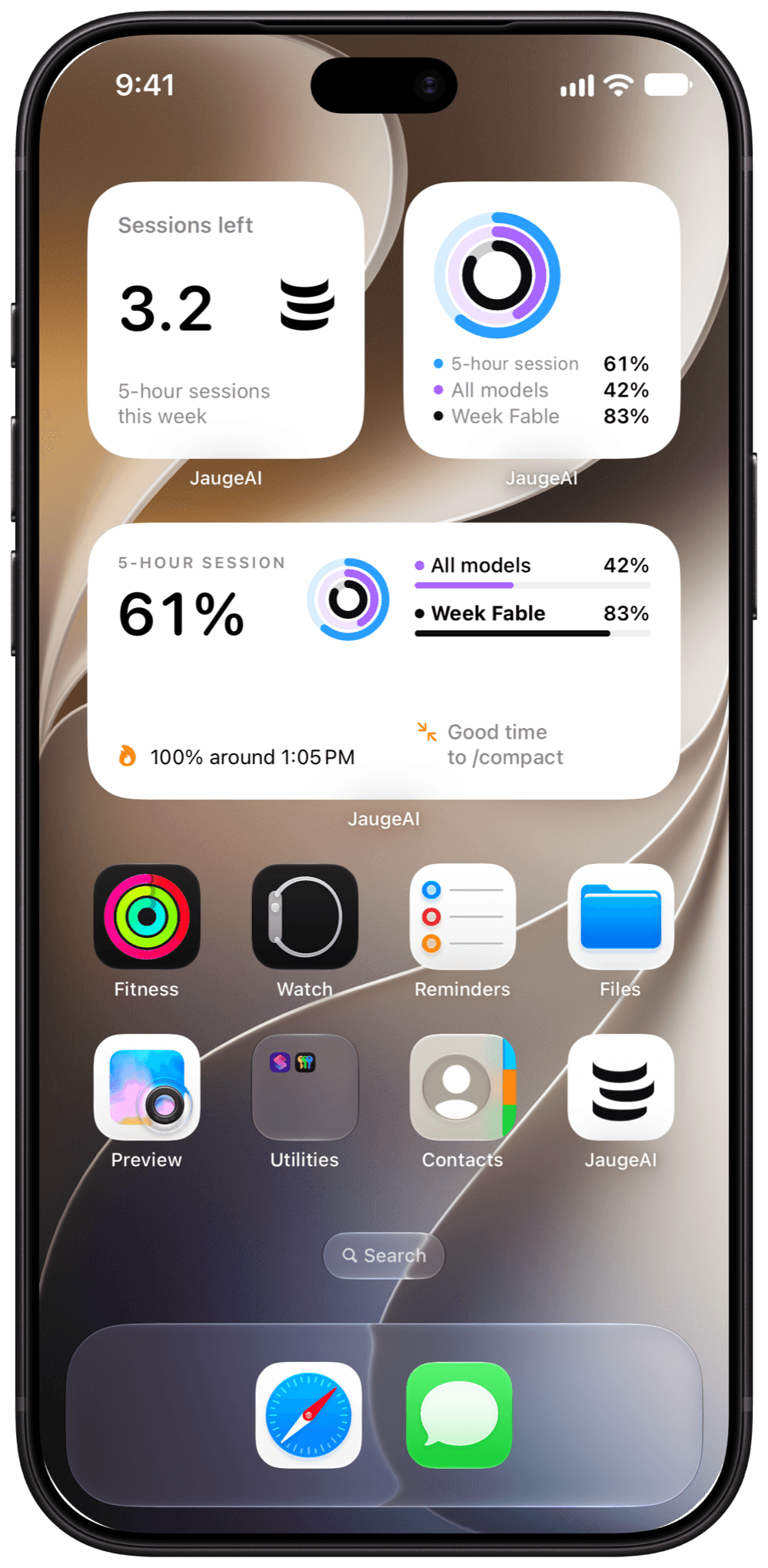
The 5-hour session, the all-models week and the capped model’s week. Choose the one shown large: the rest follows in the list, nothing said twice.
Widgets
Each widget has its own measure. The 5-hour sessions you have left this week count as tokens, and the coach tells you when to run /compact.
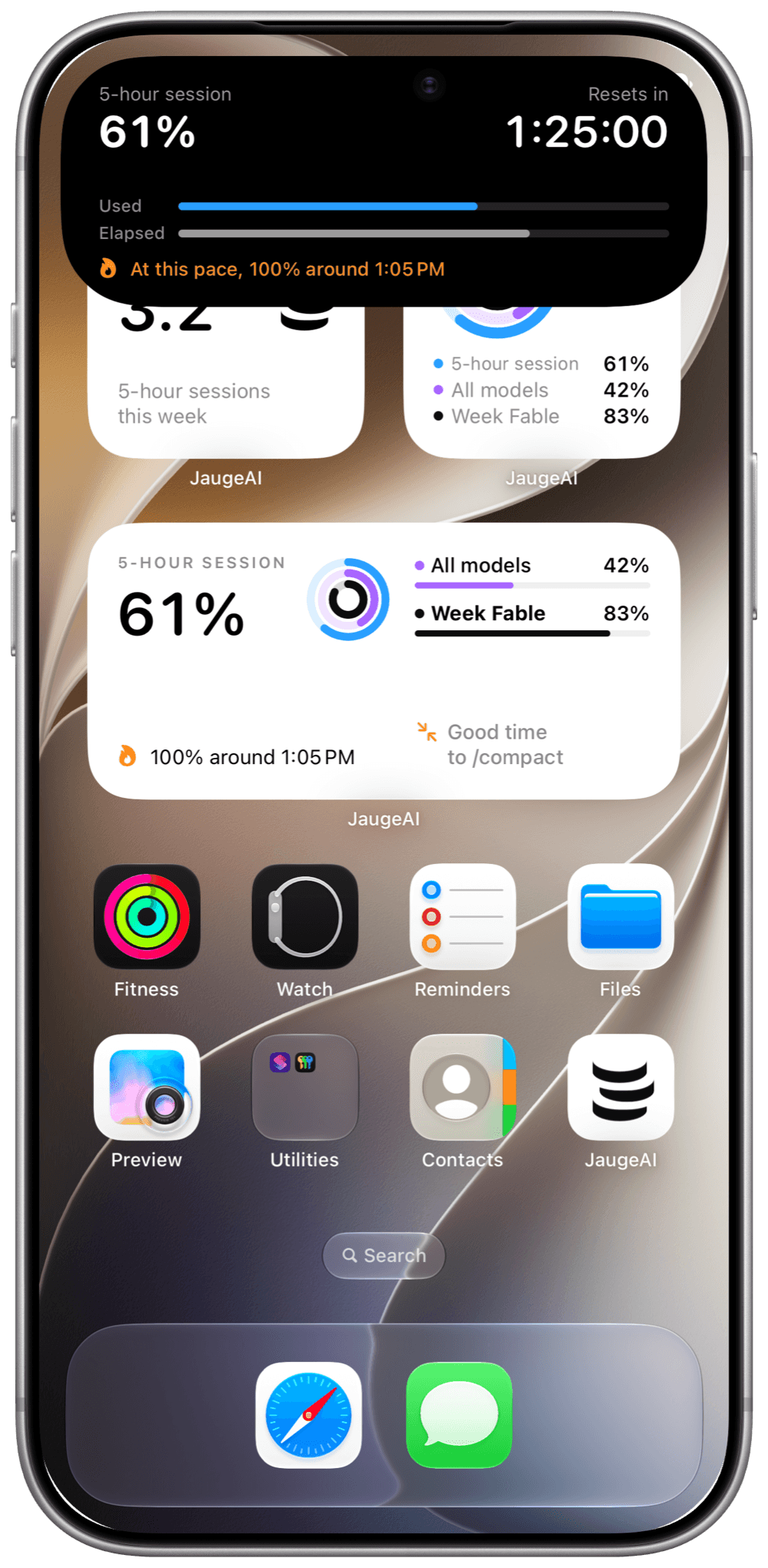
Dynamic Island and Live Activity
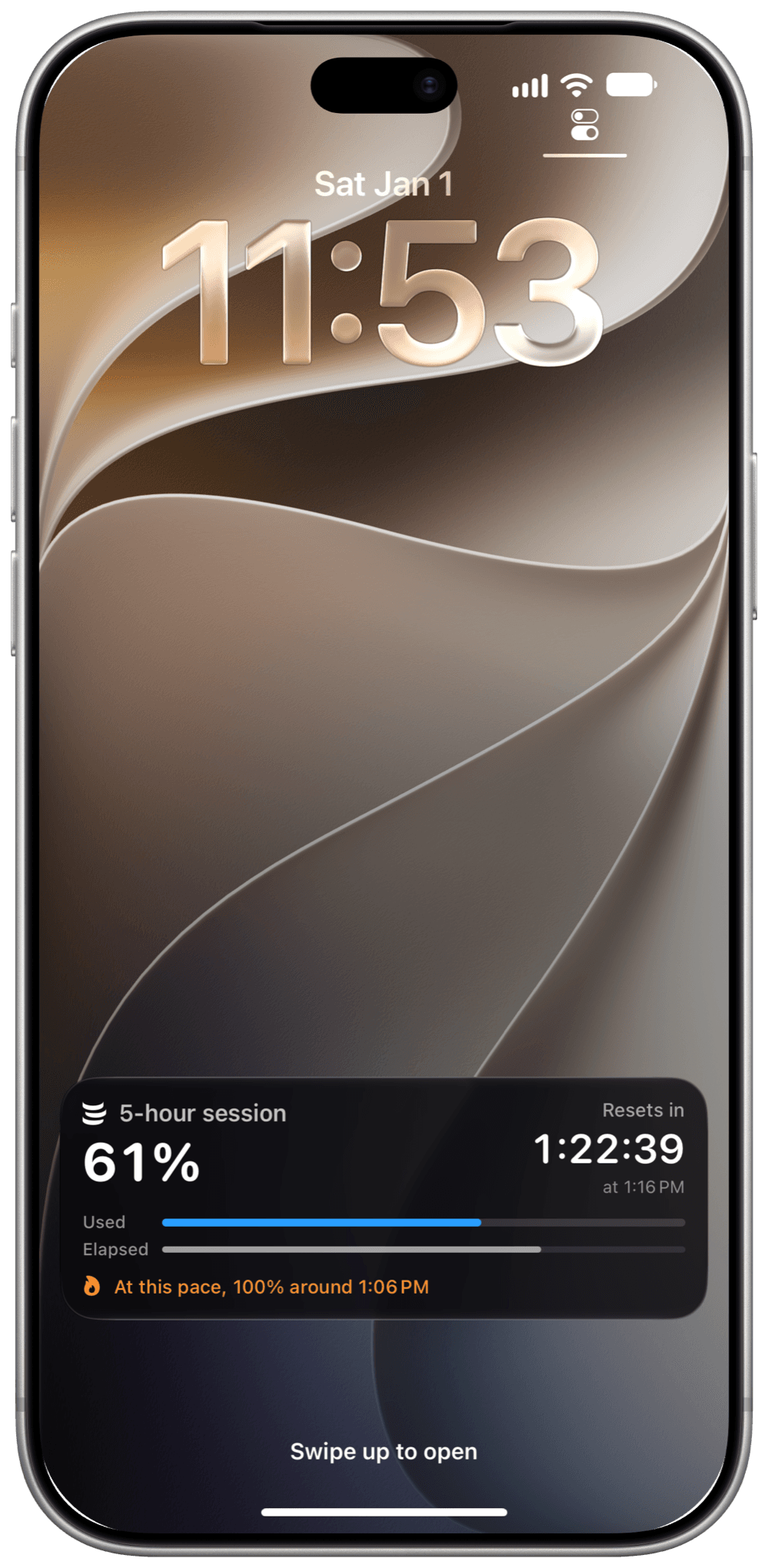
The session countdown, what you used against the time elapsed, and a heads-up before you hit the limit. Without unlocking, without leaving what you’re doing.
Beyond the limits
Advice
Context too long, cache expiring, the wrong model, the wrong plan: each tip says what it rests on and what it would save you. The savings journal tracks your progress.
Subscription value
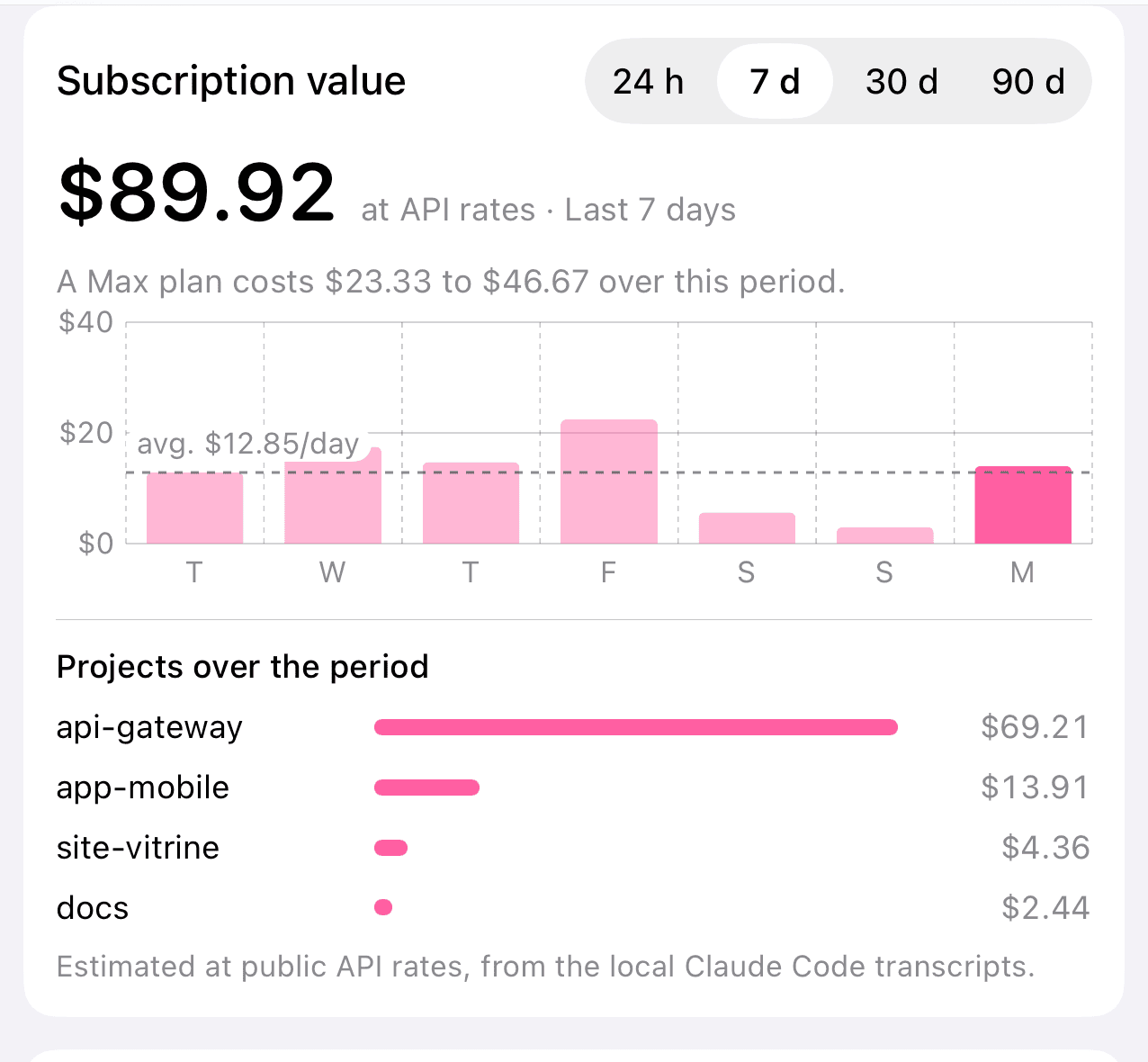
Your Claude Code activity at API rates, per day and per project, from 24 hours to 90 days, in your currency, next to the price of your plan.
History
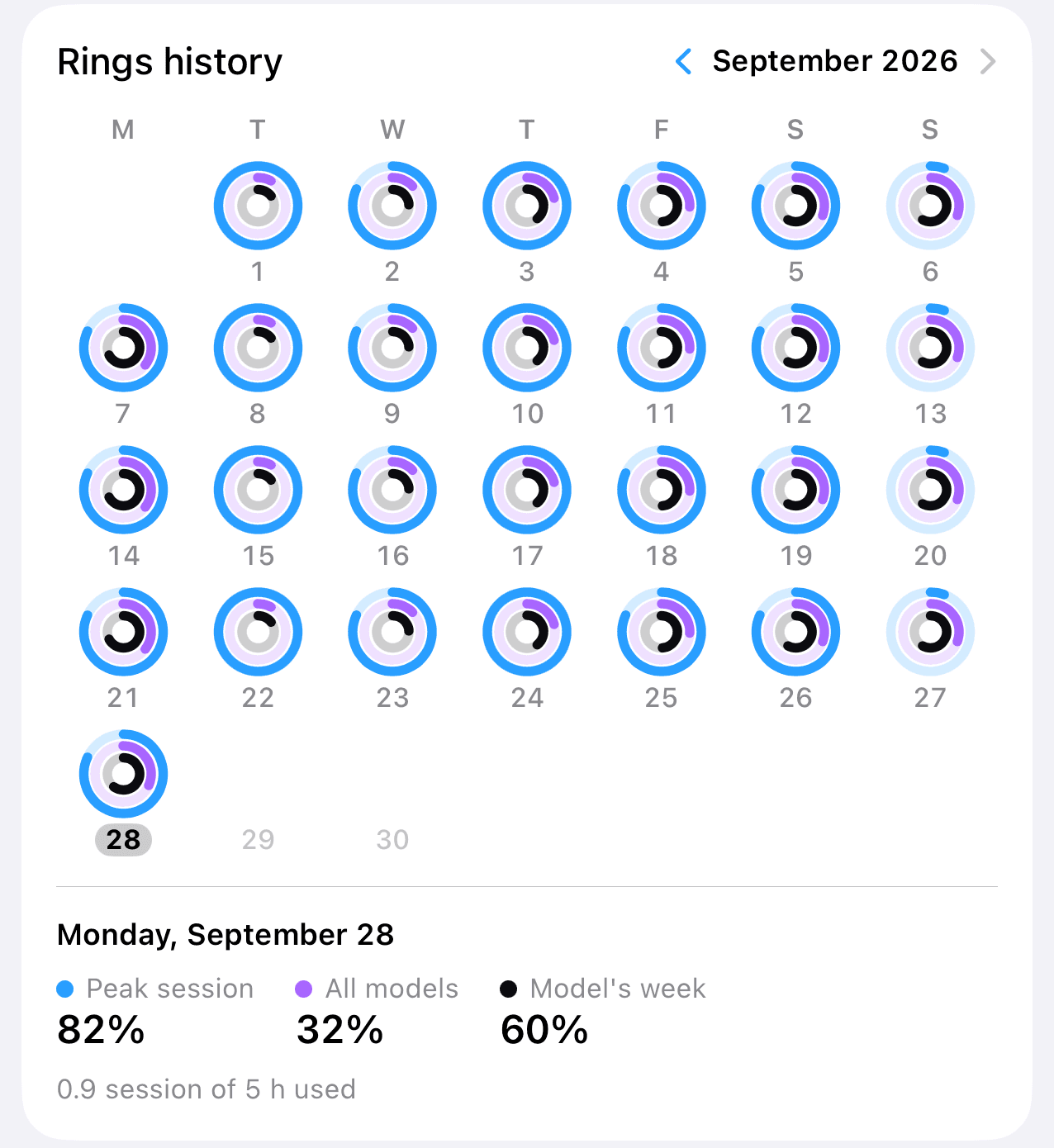
Every day, your three limits; every week, a recap to share. And the monthly report as a PDF.
Apple Watch
The same card, your tips, your goal and complications for every watch face.
Every day
JaugeAI Pro
A one-time purchase on iPhone, also valid on Apple Watch, with Family Sharing. On Mac, everything is included.
$0
On Mac, and the essentials on iPhone and Apple Watch
Download for Mac$3.99
Once, no subscription. US price; it may vary by country.
On the App Store November 3iPhone and Apple WatchPrivacy
JaugeAI has no server. The Mac only talks to Anthropic’s servers, read-only.
No account, no tracking, no ads, no analytics. Your conversations are never read.
Only results travel from your Mac to your iPhone, through your own iCloud account.
Help
Install the Mac app and sign in to Claude Code (claude auth login). Check that the Mac and the iPhone use the same iCloud account with iCloud Drive on, and keep the Mac awake.
Choose “Always Allow”: JaugeAI reads the entry Claude Code created, once.
Yes: a Claude Pro or Max plan, with Claude Code installed on the Mac. JaugeAI shows that plan’s limits; it replaces and changes nothing.
JaugeAI needs a Mac to read your limits: your iPhone and Watch show what it shares. Without a Mac, the iPhone app offers sample data.
The App Store isn’t answering right now: try again later, or use “Restore Purchases”.

Free on Mac. On iPhone and Apple Watch, the essentials are free, and JaugeAI Pro is a one-time purchase.