
All features
JaugeAI in detail, chapter by chapter: what you see, anticipate, understand and ask, on Mac, iPhone and Apple Watch.
1 · See
A glance at the menu bar: 62%, all good.
Menu bar, notch, widgets, iPhone and Apple Watch.
You work. JaugeAI keeps an eye on your limits.
No more typing /usage: the limit that matters shows up on its own, and warns you before it blocks.
MaciPhoneApple Watch
Rings
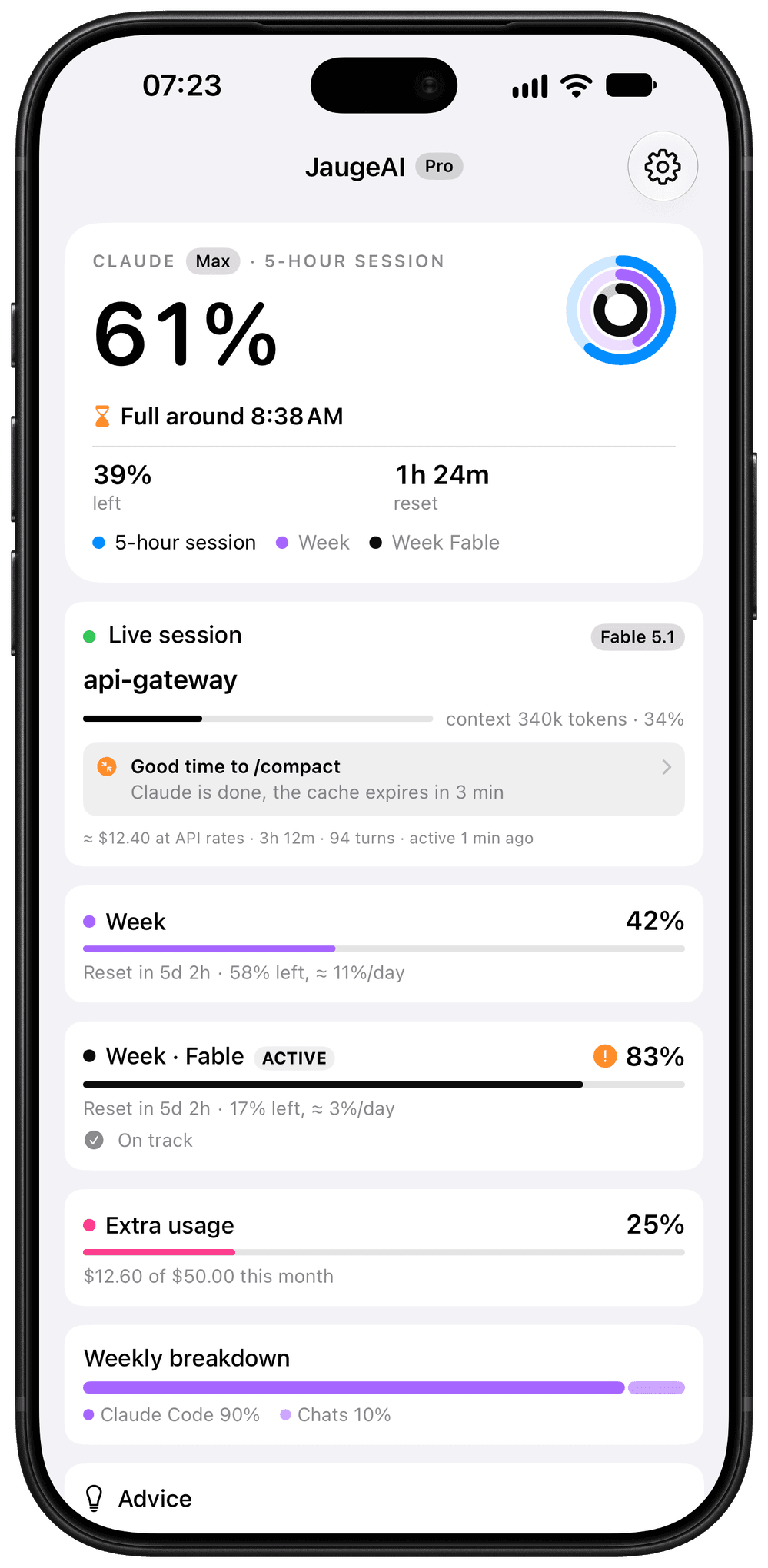
Three rings, the same everywhere.
The 5-hour session, the all-models week and the capped model’s week. Choose the one shown large: the rest follows in the list, nothing said twice.
- 5-hour session
- All models
- Model’s week
MaciPhone
Widgets Pro
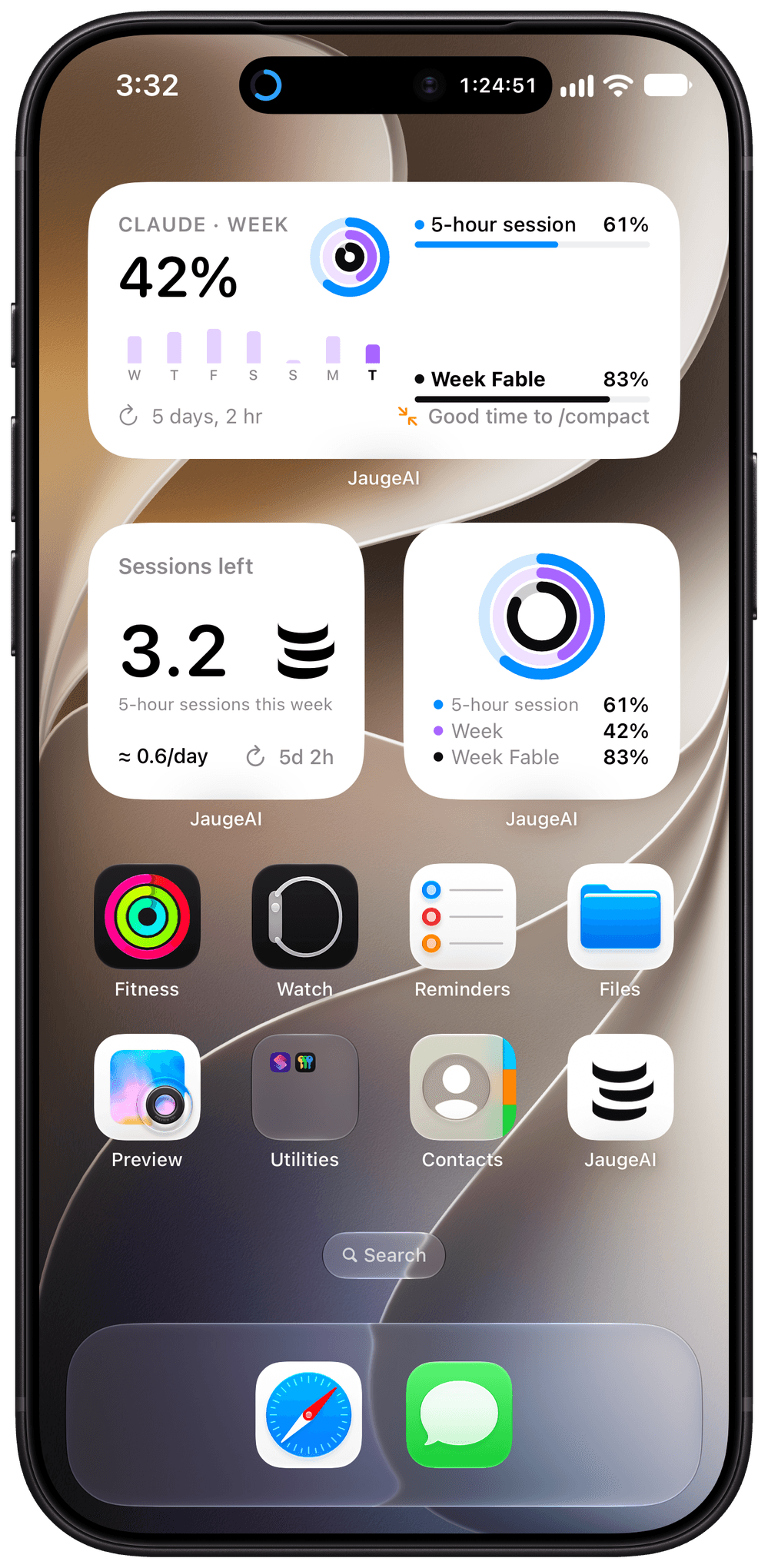
The limit you choose, on your Home Screen.
Each widget has its own measure. The 5-hour sessions you have left this week count as tokens, and the coach tells you when to run /compact.
Mac
Mac notch
Your limit, under the notch.
On a MacBook with a notch, JaugeAI sits right around it: the ring on one side, the countdown on the other. One click and the pill opens on the percentage, the reset and the projection. It steps aside when an app goes full screen. On a screen without a notch, JaugeAI draws a real notch at the top of the screen.
- Menu bar, notch, or both
- One ring or all three
- Every screen or the main one
Apple Watch
Apple Watch
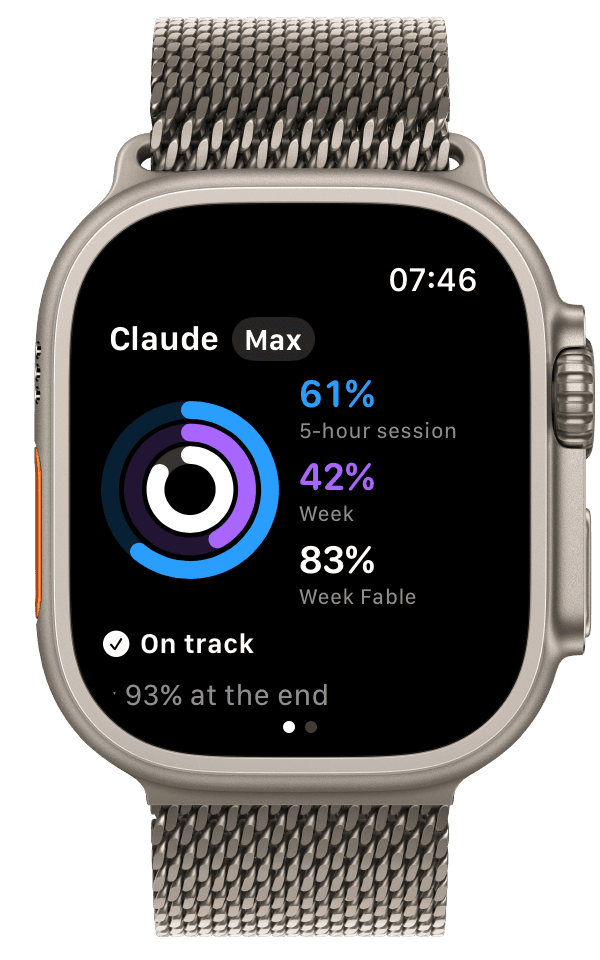
On your wrist, at a glance.
Your three rings full screen, your limits, your tips and complications for every watch face.
3 · Understand
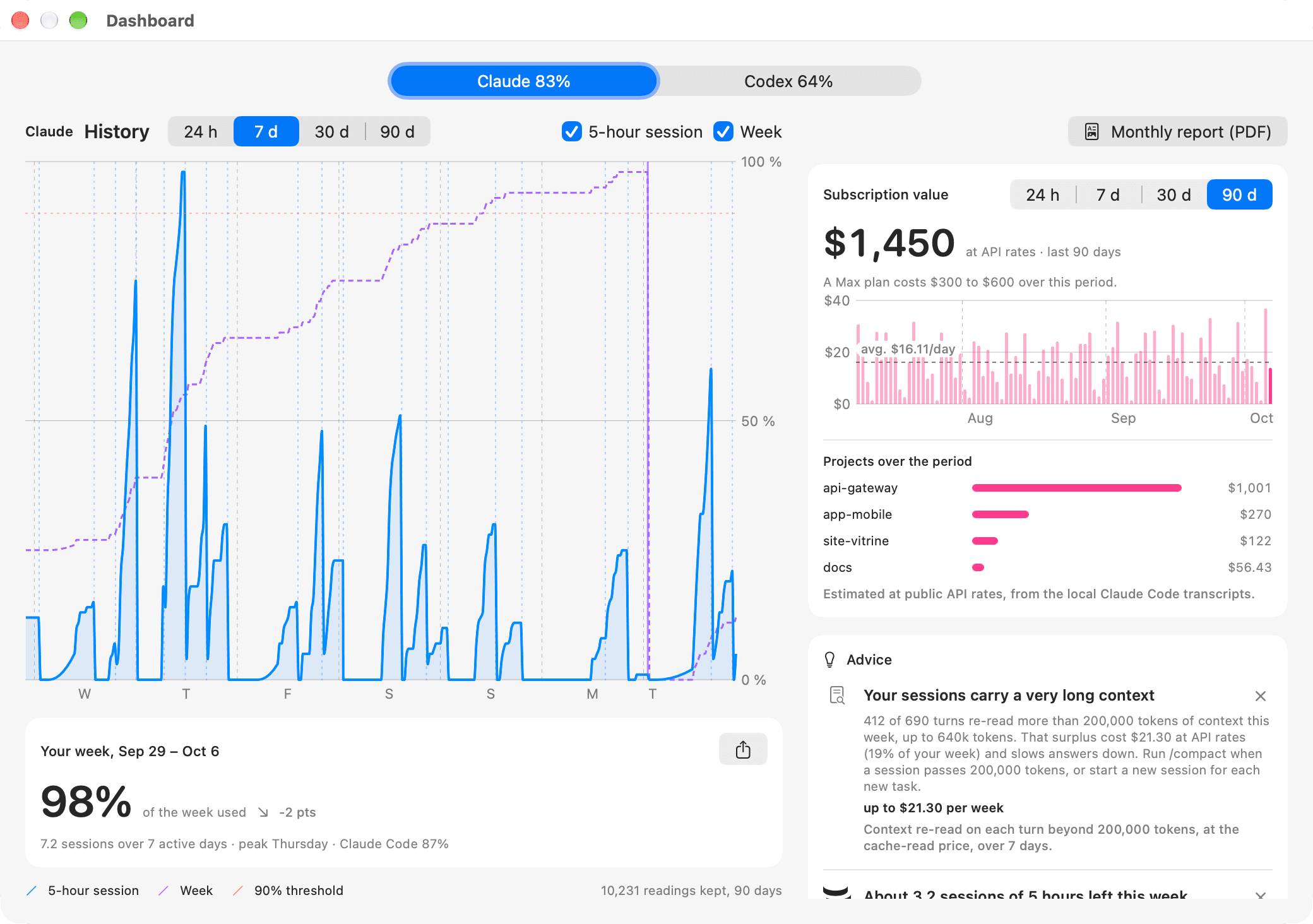
This week, my plan was worth $96 at API prices.
Plan value, history and advice with figures.
MaciPhone
Beyond the limits
What saves you time, and money.
4 · Ask
“Hey Siri, how is my session in JaugeAI?”
Siri, ChatGPT or Claude by voice, and coding agents that slow down on their own.
MaciPhone
Siri and Shortcuts
Just ask.
No time to open the app? Ask Siri, on your Mac or iPhone: it answers with your current numbers. The same questions work in Spotlight and the Shortcuts app.
- “How is my session in JaugeAI?”
- “When does JaugeAI reset?”
- “Which AI has room in JaugeAI?”
- “Should I compact in JaugeAI?”
Mac
Coding agents Pro
Your agents know where they stand.
Your coding agent tells you when your plan nears its limit, and suggests what to do next. You stay in control.
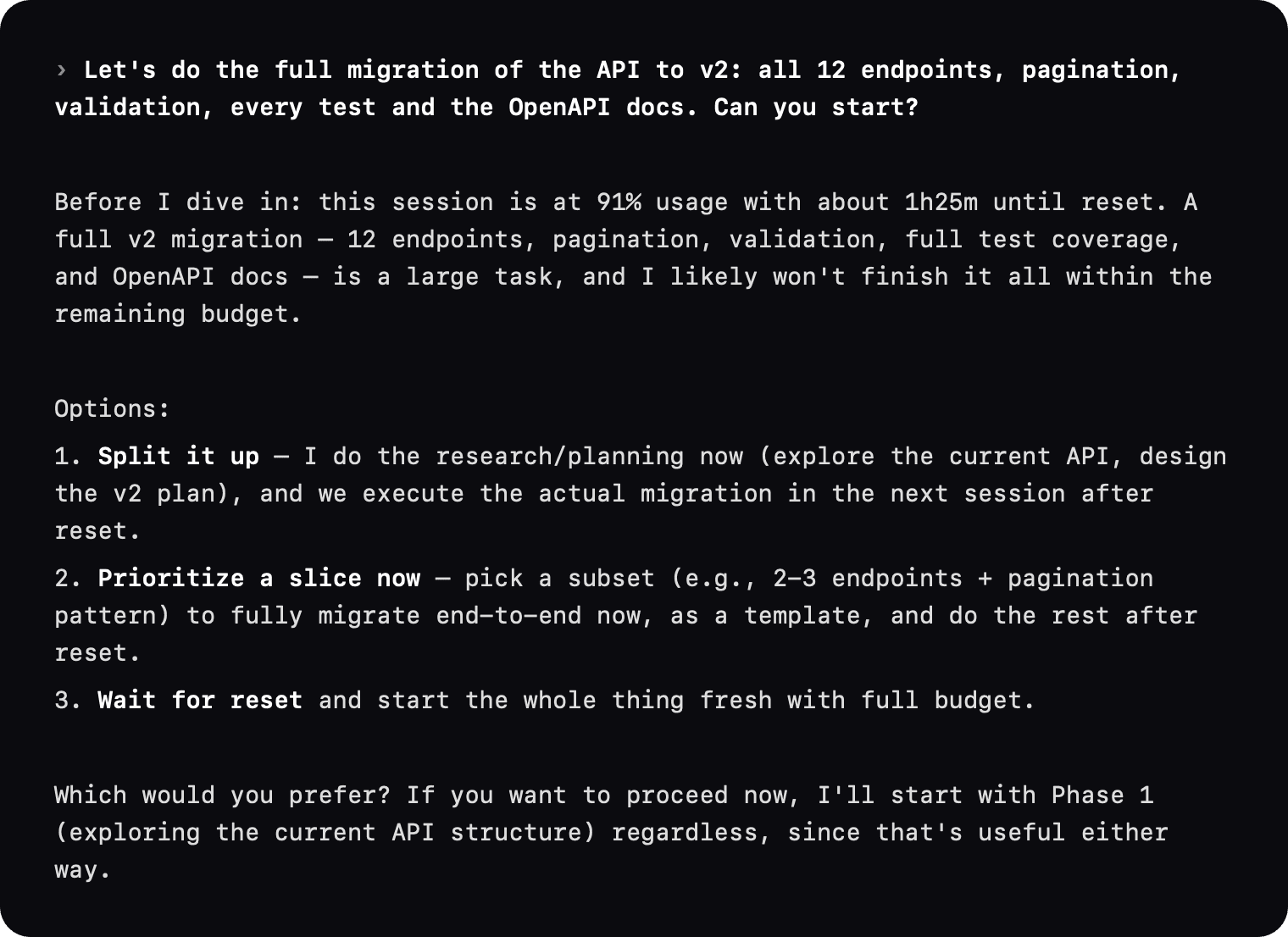
You
“Shall we take on the whole migration?”
JaugeAI tells the agent: limit close
Your agent
“The session is almost full. Let’s finish the essentials now, and pick up the rest after the reset?”
With Claude Code and Codex, on Mac · Automatic instructions Pro
Explore the MCP and free quota checks
For the curious: how does it work?
With every message, JaugeAI attaches your up-to-date limits (session, week, model, context) and, when one gets close, a short instruction: warn before a long request, get to the point, move to a service that has room.
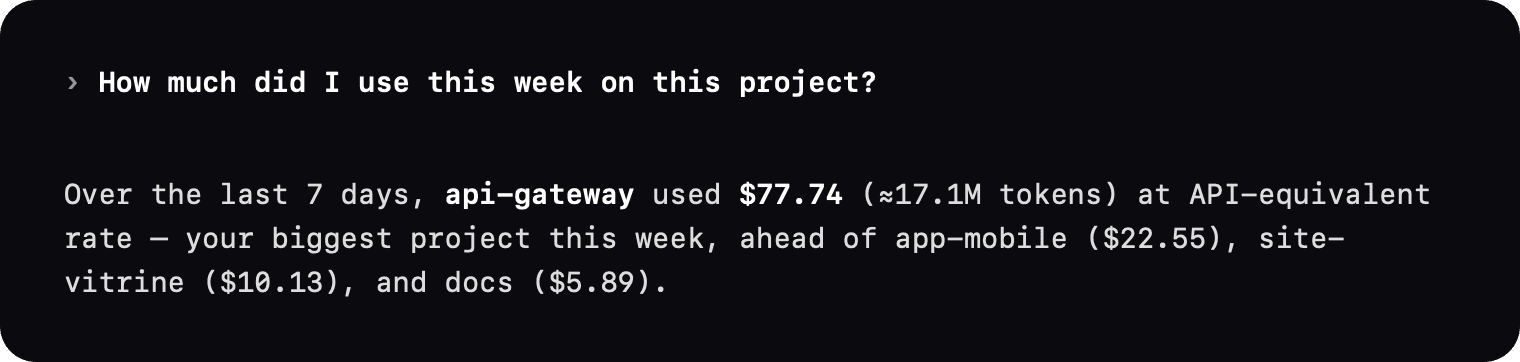
From Mac 0.5.15, current quota checks and reset times through MCP are free. With Pro, you can also ask “How much have I used on this project this week?”: the agent queries your history through the local server. The results become part of your conversation and follow your assistant’s privacy rules. Three real exchanges:

MaciPhoneApple Watch
Claude, Codex and Gemini
Every service, on equal terms.
Everything JaugeAI does for Claude, it does for Codex and, on Mac, for Gemini, as far as each provider exposes it.
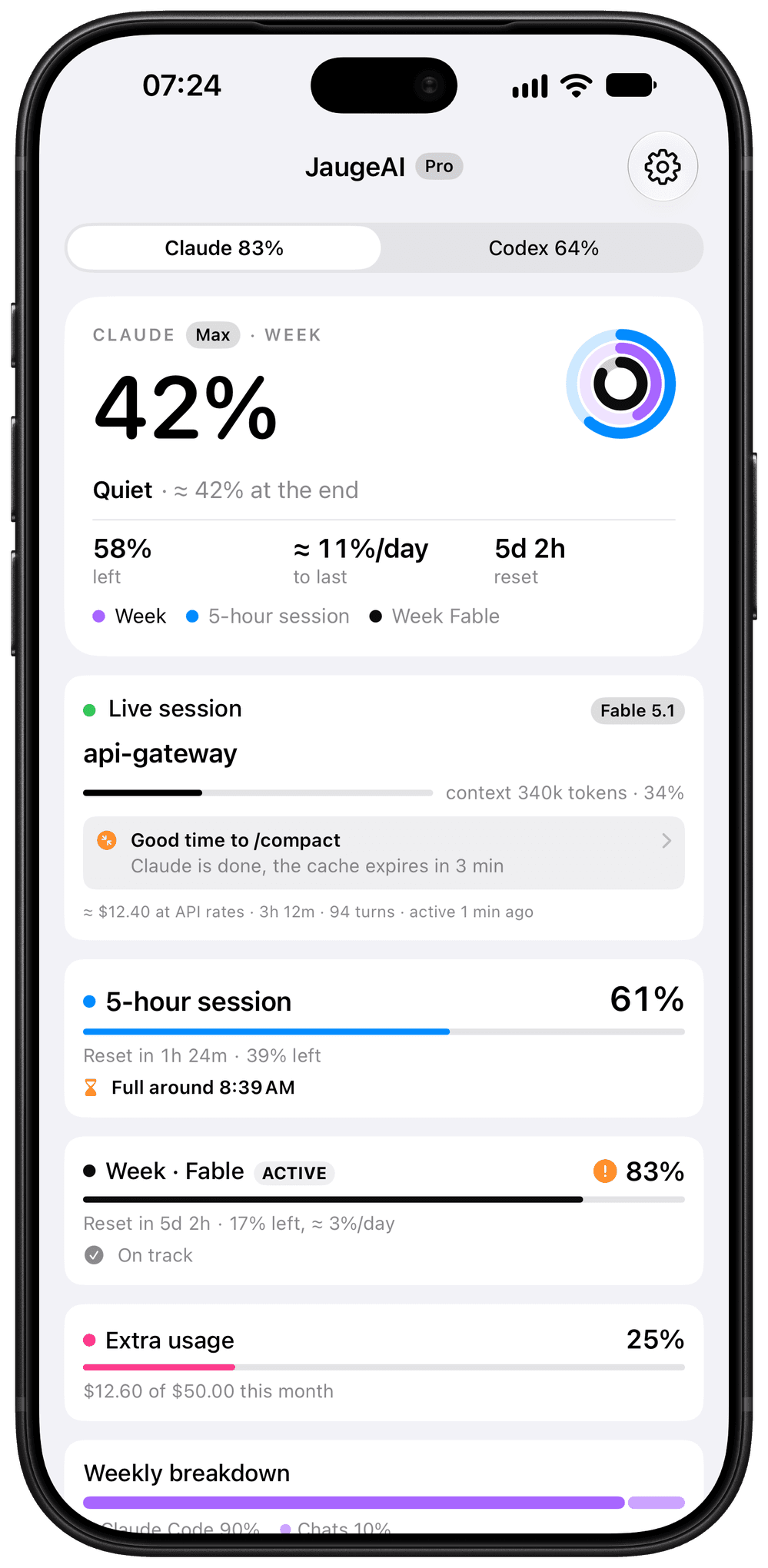
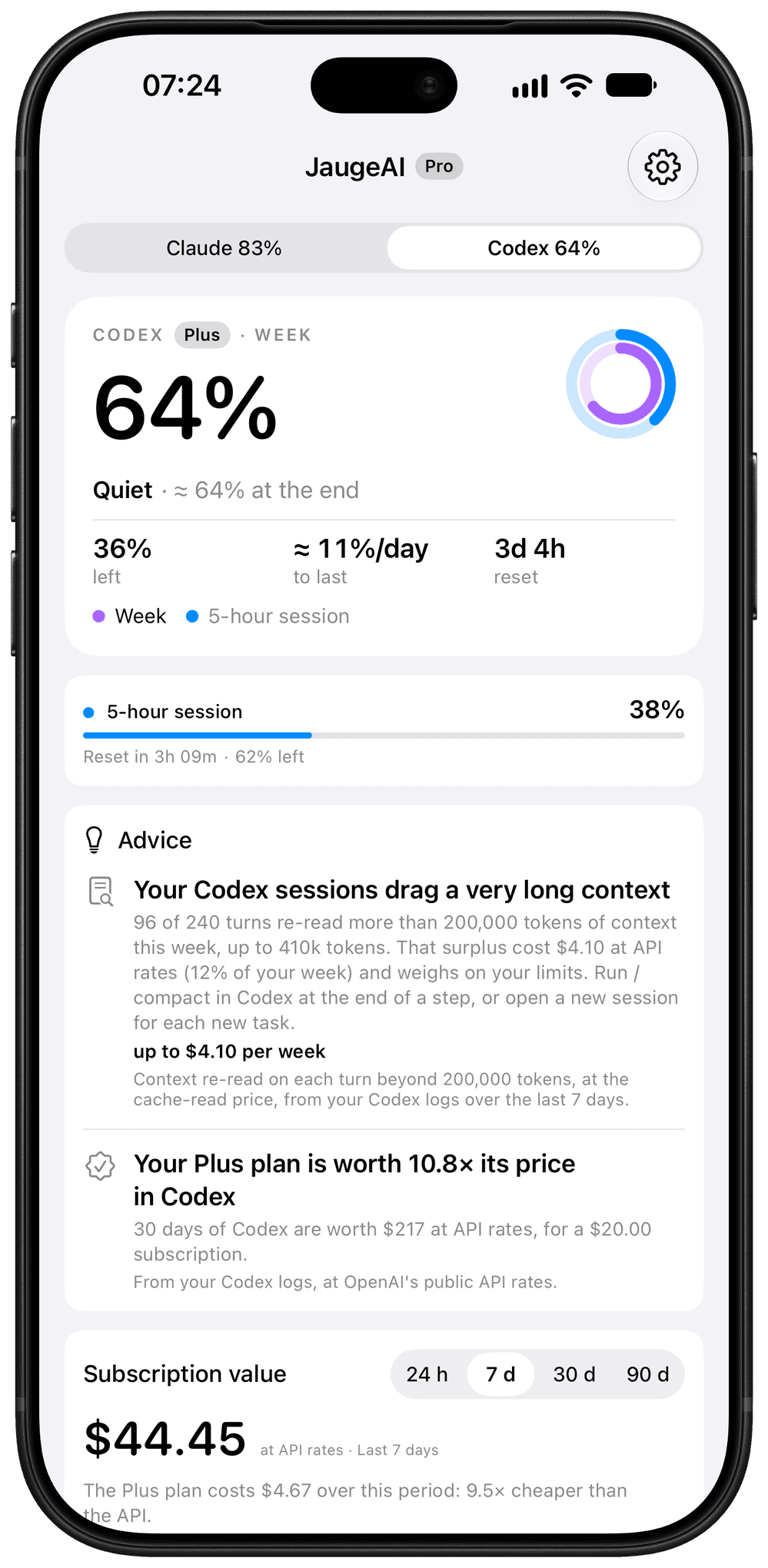
Codex, just like Claude
Forecast, pace and alerts, value at API prices, live session with project, model and context, secondary limits and 90 days of history.
One service to follow
Menu bar, notch, widgets, Live Activity and complications follow the service you pick. On automatic: whichever is closest to its limit.
Your services, your settings
Settings › Services: one switch per service, detected on the Mac. Gemini, through Antigravity CLI, on Mac since version 0.5.22; GitHub Copilot is planned.
How it works
It all starts on your Mac.
The free Mac app takes the reading. Your iPhone and Apple Watch show what it shares: nothing else leaves your devices.
Read on your Mac
JaugeAI uses the session Claude Code, Codex or Antigravity CLI already opened, read-only. No password, nothing to type.
Shared through your iCloud
Only results go through your private iCloud: percentages, estimates, project names. No server between your devices.
Shown everywhere
Menu bar, widgets, Lock Screen, Dynamic Island and Apple Watch, with the time of the latest reading.